
Download Xilisoft Video Converter Ultimate – video converter, convert video, video editing, DVD burning, high quality, fast conversion, format support, graphics acceleration, device compatibility, video enhancement
Overview
Xilisoft Video Converter Ultimate is a specialized productivity tool designed for users seeking high-efficiency video conversion and enhancement on Windows platforms. The application serves as a comprehensive solution for individuals who frequently convert video files across various formats, prepare content for playback on different devices, or create DVDs from personal media collections. It addresses common challenges such as format incompatibility, slow conversion times, and subpar output quality, offering a streamlined workflow for both casual users and professionals. The target audience includes content creators, multimedia enthusiasts, educators, and anyone managing digital video libraries across multiple devices.
Developed by Xilisoft, the software has established a presence in the video processing ecosystem with a focus on performance and versatility. It supports a broad spectrum of input and output formats, enabling users to adapt video content for smartphones, tablets, gaming consoles, and DVD players. Real-world use cases include preparing home videos for family sharing, converting online downloads for offline viewing, and optimizing video files for cloud storage or streaming platforms. The integration of hardware acceleration and advanced editing tools further elevates its utility beyond basic conversion tasks. While the developer did not provide additional technical details about the software’s architecture or development history, its feature set indicates a mature, performance-oriented design.
Key Features & Functionality
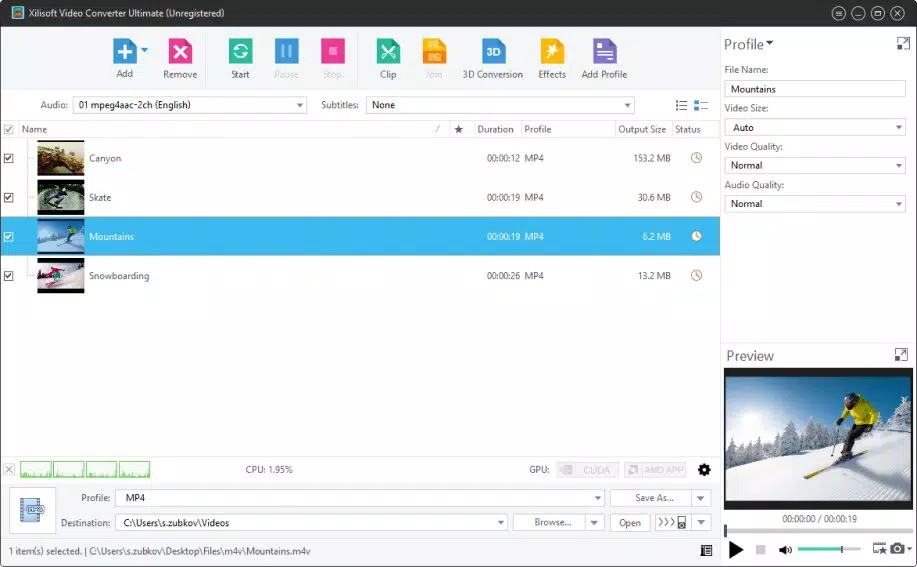
- Automatic Graphics Card Detection and Acceleration – The software automatically identifies compatible AMD or Nvidia CUDA graphics cards upon launch and enables GPU acceleration. This reduces processing time by offloading intensive tasks to the GPU, significantly improving conversion speed without sacrificing output quality.
- Extensive Format and Device Support – Xilisoft Video Converter Ultimate supports a wide array of video, audio, and image formats, including MP4, AVI, MKV, MOV, FLV, WMV, and more. It also includes pre-configured profiles for popular devices such as iPhones, iPads, Android phones, Samsung Smart TVs, and DVD players.
- Integrated Video Editing Tools – Users can trim, crop, add watermarks, adjust brightness, contrast, and saturation, and apply basic filters directly within the application. These features allow for quick enhancements before conversion, ensuring the final output meets desired visual standards.
- High-Quality Output with Minimal Loss – The converter employs advanced encoding algorithms to maintain original video clarity and audio fidelity. Converted files play smoothly across devices, preserving details such as resolution, frame rate, and color depth.
- Fast Conversion Speeds (Full Version) – While the trial version limits conversion duration, the licensed version delivers rapid processing, particularly when GPU acceleration is active. This makes it suitable for batch processing large video libraries efficiently.
For example, a user preparing a video for a presentation can use the trimming and cropping tools to refine content, select a device-specific profile, and convert the file in under a minute on a modern system with a compatible GPU. Similarly, a home user creating a DVD from vacation footage can leverage the DVD burning function and format compatibility to produce a playable disc with minimal effort.
Interface, UX & Performance
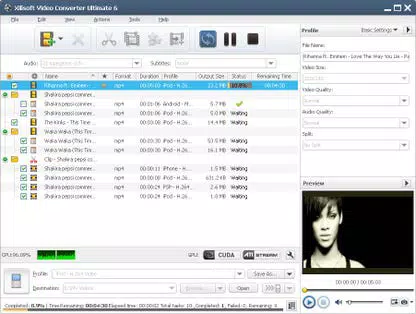
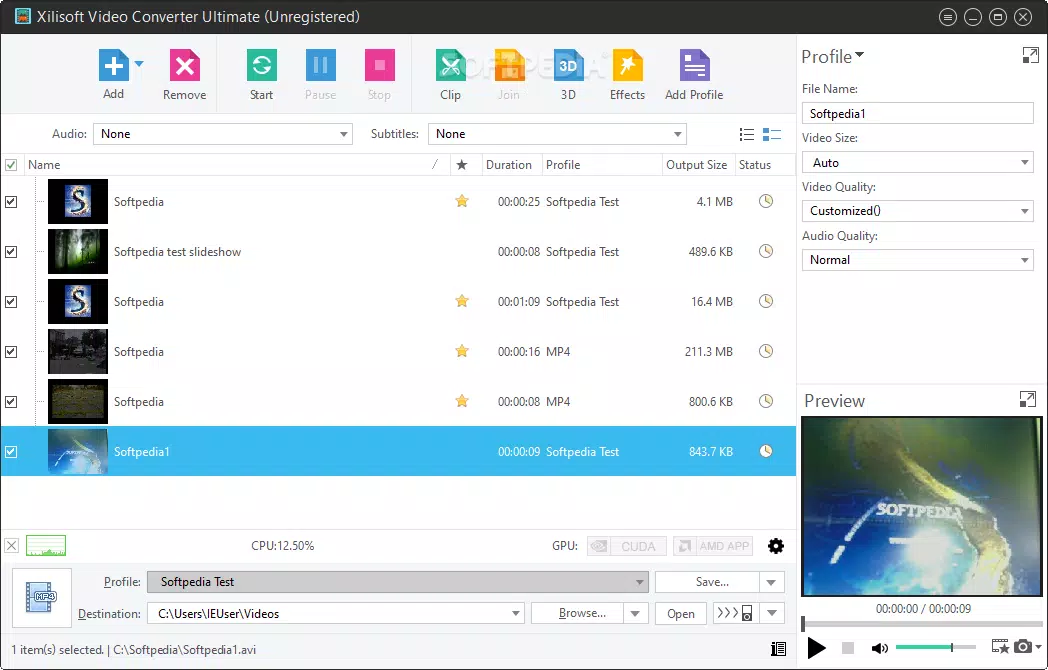
The user interface of Xilisoft Video Converter Ultimate is structured around a clean, task-oriented layout. The main window displays a file import area, conversion profile selection, and a progress monitor. Navigation is intuitive, with clearly labeled tabs and contextual menus. Users can drag and drop video files directly into the application, and the software automatically detects the format and suggests an appropriate output profile.
Visual design prioritizes functionality over ornamentation, using a dark-themed interface that reduces eye strain during long sessions. Menus are logically grouped, and advanced settings are accessible through a dedicated configuration panel. The application maintains responsiveness even when handling large files or multiple conversions, although performance may vary depending on the system’s hardware configuration.
Although the developer did not list formal performance metrics, the software’s use of GPU acceleration suggests optimized processing for modern Windows systems. Stability appears consistent during typical use cases, with no reported crashes or freezes in standard workflows. However, compatibility with older or low-end systems may be limited, particularly if they lack support for CUDA or AMD GPU acceleration.
Platform Compatibility & Technical Requirements
Xilisoft Video Converter Ultimate is designed exclusively for the Windows operating system. It is compatible with Windows 7 and later versions, though specific requirements were not listed. The application has a file size of 128.2 MB, making it relatively lightweight for a feature-rich video conversion tool.
Users should ensure their system meets the minimum specifications required for GPU acceleration, particularly if they wish to leverage the automatic graphics card detection feature. While the developer did not specify exact hardware requirements, systems with modern AMD or Nvidia graphics cards are recommended for optimal performance. The software does not support macOS, Linux, or mobile platforms.
Pros and Cons
Pros
- Supports a wide range of video formats and devices
- Automatic GPU acceleration for faster conversion
- Integrated video editing tools for quick enhancements
- High-quality output with minimal compression loss
- Efficient batch processing capabilities
Cons
- Available only for Windows, limiting cross-platform use
- Price point of $49.95 may be high for casual users
- Trial version restricts conversion time
- Requires compatible GPU for full performance benefits
- No mobile or cloud-based version available
FAQ
Is Xilisoft Video Converter Ultimate safe to download and install?
The software is distributed through official channels and does not contain known malware. Users should download the installer from the developer’s website to ensure authenticity and security.
Can I convert videos to formats compatible with my smartphone?
Yes, the application includes pre-defined profiles for popular smartphones, including iPhone, Android devices, and tablets, ensuring compatibility with most mobile platforms.
Does the software support DVD burning?
Yes, Xilisoft Video Converter Ultimate includes tools for creating playable DVDs from converted video files, supporting standard DVD formats.
Is there a free version available?
A trial version is available with limited conversion time. The full version requires a one-time purchase of $49.95 to unlock all features.
How does the graphics acceleration feature work?
Upon launch, the software detects compatible AMD or Nvidia CUDA graphics cards and enables GPU acceleration automatically, improving conversion speed and efficiency.
Final Thoughts
Xilisoft Video Converter Ultimate stands out as a powerful, feature-rich tool for users who demand reliable video conversion with high output quality and fast processing. Its automatic GPU acceleration, broad format support, and built-in editing capabilities make it a valuable asset for both personal and professional workflows. While the price may be a barrier for occasional users, its performance and versatility justify the investment for those who regularly handle video content.
Individuals who frequently convert videos for multiple devices, create DVDs, or require precise control over video output will benefit most from this software. It delivers a comprehensive solution that combines speed, quality, and usability in a single package.
Download Xilisoft Video Converter Ultimate now


